Proof Path
A service decision case: the visitor picks the problem they recognise, and its path draws itself in 2–6 stages from friction to evidence and outcome, marking your claim as tested. Six styles, an icon and colour per problem.
What it does
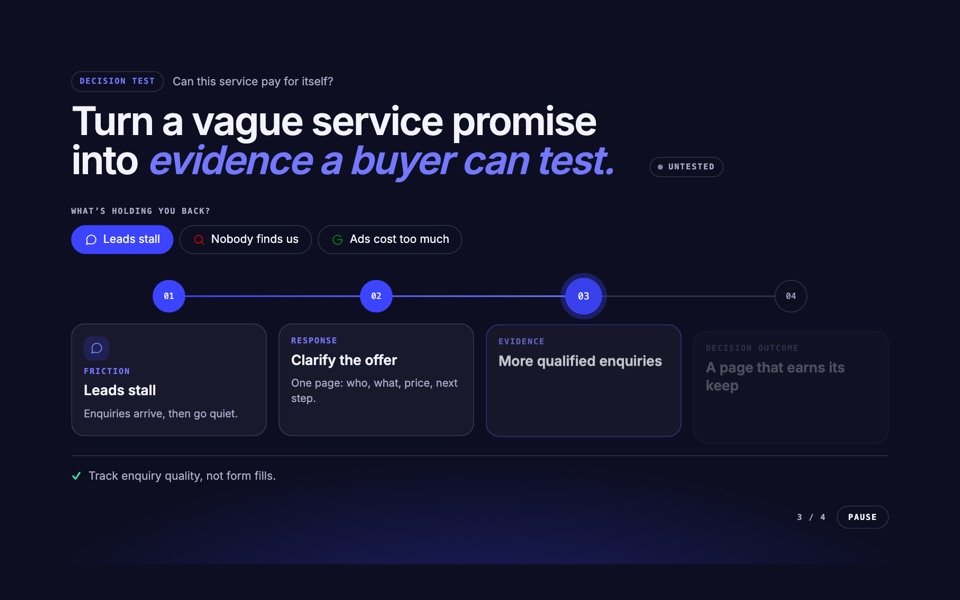
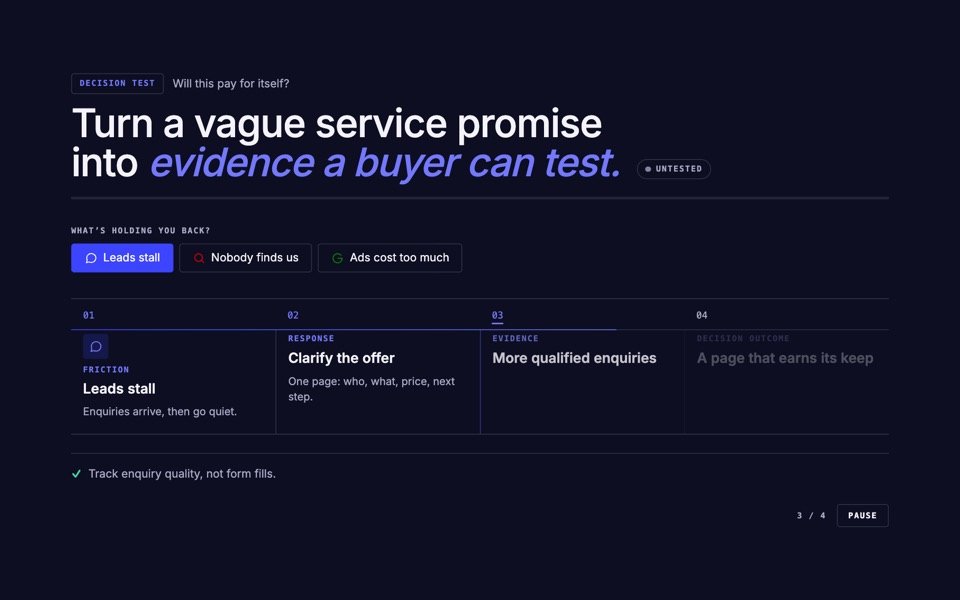
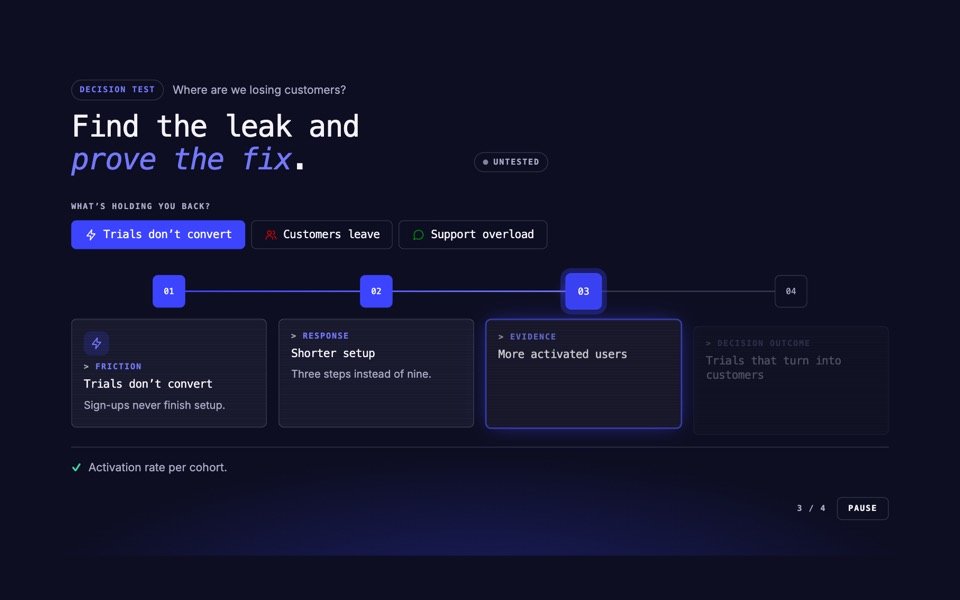
A decision case for selling complex services. It asks one buyer question and makes one claim. The visitor picks the problem they recognise (one per path, each with its own icon and colour), and that path plays out stage by stage: 2–6 stages that you name, starting with the customer friction and ending with the outcome, with one stage carrying the evidence (and an optional before/after meter). Reaching the outcome marks the claim as tested; then it can move on to the next problem by itself. Six styles (cards, ledger, blueprint, editorial, soft, signal) and a few switches make each site look different. It plays on view, follows the scroll (pinned) or shows everything at once. More than six steps is a process: use Timeline, Momentum or Constellation for that.
Add it to a page
Bricks
Search the elements panel for Proof Path (mkit-proof-path) and drag it in.
Shortcode
Paste [mkit_proof_path] into any editor or builder.
AI agent
Ask an agent to use rabin-craft/add-to-page with element proof-path.
[mkit_proof_path]
[mkit_proof_path decision="Can this service pay for itself?" claim="Turn a vague service promise into <em>evidence a buyer can test.</em>" items="Leads stall|Clarify the offer|More qualified enquiries|A sales page that earns its keep; Traffic leaves|Remove friction|More people reach the next step|A journey built to convert"][/mkit_proof_path]
12 ready-made examples
Proof Path ideas you can copy
Each example is a live page with the exact shortcode that made it.




Settings
The same settings work in Bricks, in shortcode attributes and through the abilities.
| Setting | Type / options | Default | What it does |
|---|---|---|---|
decision |
string | Can this service pay for itself? | The one buyer question this decision case answers. Empty hides it. |
claim |
string | Turn a vague service promise into evidence a b… | The specific claim the paths make testable. <em> marks the words underlined once a path is complete; strong, a and br are allowed. |
pick_label |
string | What’s holding you back? | The question above the problems (shown with 2 or more paths). Empty keeps the problems without it. |
stages |
integer (2–6) | 4 | How many stages every path has. The first is the problem, the last the outcome. From 3 stages one of them carries the evidence (signal and meter). The others take intervention, action_2 and action_3, in that order. |
stage_labels |
list | empty | The heading of each stage, in order; a blank entry hides that heading. A stage without one is named by its role: Friction, Response, Build, Launch, Evidence and Decision outcome (the problem, the three actions, the evidence and the outcome), so the names follow a moved evidence stage. |
evidence_stage |
integer (0–5) | 0 | 0: the stage before the outcome. Otherwise the stage number (2 up to stages – 1) that carries the evidence. |
progress |
auto · scroll · none | auto | "auto" plays the chosen path stage by stage when it comes into view; "scroll" pins the element and draws each path as the page scrolls, then moves to the next; "none" shows every stage at once. Reduced motion always shows everything. |
after |
loop · once · stop | loop | With "auto", what happens after a path reaches its outcome: "loop" moves on to the next problem and keeps cycling, "once" plays every problem once and rests on the last, "stop" stays. Picking a problem stops the cycling; hovering or focusing holds the countdown; a Pause button stops it. |
interval |
number (0.8–5) | 1.5 | Seconds per stage with "auto". |
hold |
number (1–10) | 2.5 | Seconds on the outcome before the next problem. |
style |
cards · ledger · blueprint · editorial · soft · signal | cards | How the evidence is presented: cards (modern), ledger (hairline rows, tabular figures: finance, legal, consulting), blueprint (grid paper, dashed path: engineering, construction, dev studios), editorial (large serif numerals: brands, publishers, premium services), soft (rounded, tinted: wellness, education, coaching), signal (monospace, terminal feel: SaaS, tech, AI). |
pick_style |
buttons · cards | buttons | "buttons": a row of problem buttons. "cards": question cards with the icon and problem_text. |
evidence_style |
bars · figures | bars | How before/after shows: bars, or the figures set large ("18% → 41%"). |
tag_style |
pill · stamp | pill | "pill" turns from Untested to Tested; "stamp" presses a Tested stamp in once the path is complete. |
colors |
problem · single | problem | "problem": each problem takes its own color (an empty one is turned from the accent at the same lightness). "single": the accent throughout. |
show_icons |
boolean | true | Each problem’s icon on its button and its first stage. |
show_stage_labels |
boolean | true | Show the stage headings on the cards. |
stamp |
boolean | true | The tag after the claim. |
tested_label |
string | Tested | The tag once a path is complete. |
untested_label |
string | Untested | The tag while a path plays (pill only). |
items |
list | 3 sample items | One causal path per customer problem; the problem is also its button. Keep each field concrete and verifiable. |
theme |
dark · light | dark | Colour scheme. "dark" is designed for night/navy sections, "light" for white or pale sections. |
More Interactions


Get the full kit
All 30 elements, one licence.
From ₹1,499 a year. Secure checkout on shop.rabinpal.com.